Works with where you already take payments
Refficks hears about a sale from the place that took the money: your billing system, your store, your checkout, or Stripe itself. Each one below opens its guide, readable without an account.
Payments and subscription billing
Your billing system reports each payment, renewal and refund, so recurring revenue credits the partner who brought the customer.
Online stores
A store reports its orders. The Shopify and BigCommerce apps and the WooCommerce plugin also make partner codes real discounts in your store.
Checkouts and course platforms
For a checkout you do not control: paste an address and a snippet where the guide says.
Platforms that charge through your Stripe account
These take payments in your own Stripe account, so Refficks credits the sale from there.
More guides
Payment links on your website
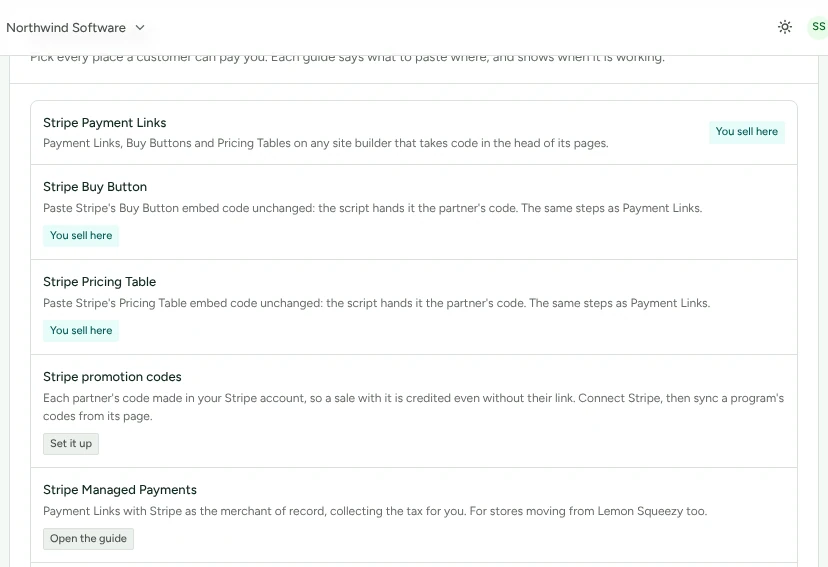
Stripe Payment Links, Buy Buttons and Pricing Tables on the site you already have, with the script in the head of every page.
Apps you build
Checkout Sessions your own code creates, and apps an AI builder makes for you.
Leads before the payment
A booking, a form or a new account, tied to the partner whose link brought the person, so the payment that comes later is credited to them.
Analytics and automation
See partner traffic in your analytics, and do partner work from your automations. Sales still come from where you take payment.
What has been checked
Refficks is in Alpha. Stripe (a sandbox account), Shopify (a development store) and WooCommerce (a local store) have met the real service, each partly. Every other integration is built from its provider's documentation and checked against stand-ins, and every guide says before its steps what has been checked.
The Shopify and BigCommerce apps and the WordPress plugin are installed from Refficks. None is in an app directory yet.
Start from where your money already arrives
Connect it, pick a guide, and the first sale arrives with its partner.